How to document a Salesforce lead qualification workflow
By Phil KlingUpdated June 2026How we research this
To document a Salesforce lead qualification workflow, record a rep qualifying and routing a real lead from capture to assignment, then generate a step-by-step SOP and a process map from it. Qualification criteria and routing rules often live in one rep’s head, so leads get worked inconsistently and good ones slip. Ledgerium records the real qualification in the browser, captures the enrichment lookups and the criteria checks, and generates the SOP, the process map, and a report that shows where leads wait and where routing varies.
Key takeaways
- Salesforce lead qualification suffers when the criteria and routing rules are remembered rather than written, so leads get worked inconsistently.
- Lead leakage concentrates between capture and assignment, where a lead sits unworked, and at routing, where it lands on the wrong owner.
- Recording one qualification captures the enrichment lookups and the criteria checks that usually go undocumented.
- Ledgerium measures time to first touch and routing accuracy and scores AI candidates like scoring fit and intent before a rep opens the lead.
Who uses this workflow
Sales development reps, account executives, and the RevOps manager who owns routing rules and conversion. Sales leaders review it to standardize how leads are qualified.
Systems involved: Salesforce, Lead enrichment tools, Email and calendar, Marketing or web forms.
The old way
Each rep qualifies leads their own way and routing rules are remembered, not written. Leads route to the wrong owner, good ones sit too long, and the real criteria only surface in pipeline reviews.
With Ledgerium
Record one real qualification. Ledgerium captures the capture, enrichment, criteria check, and routing in order and generates the SOP, the process map, and a report that highlights where leads wait and where routing diverges.
Sample workflow steps
- 1
Capture the lead
The lead lands in Salesforce from a form, list, or inbound source with its source fields.
- 2
Enrich the record
Add firmographic and contact data from enrichment tools to complete the record.
- 3
Qualify against criteria
Check the lead against the fit and intent criteria that define a qualified lead.
- 4
Route and assign
Assign the lead to the right owner based on territory, segment, or round-robin rules.
- 5
Log and set next step
Record the qualification outcome and set the first follow-up activity.
What Ledgerium generates from this
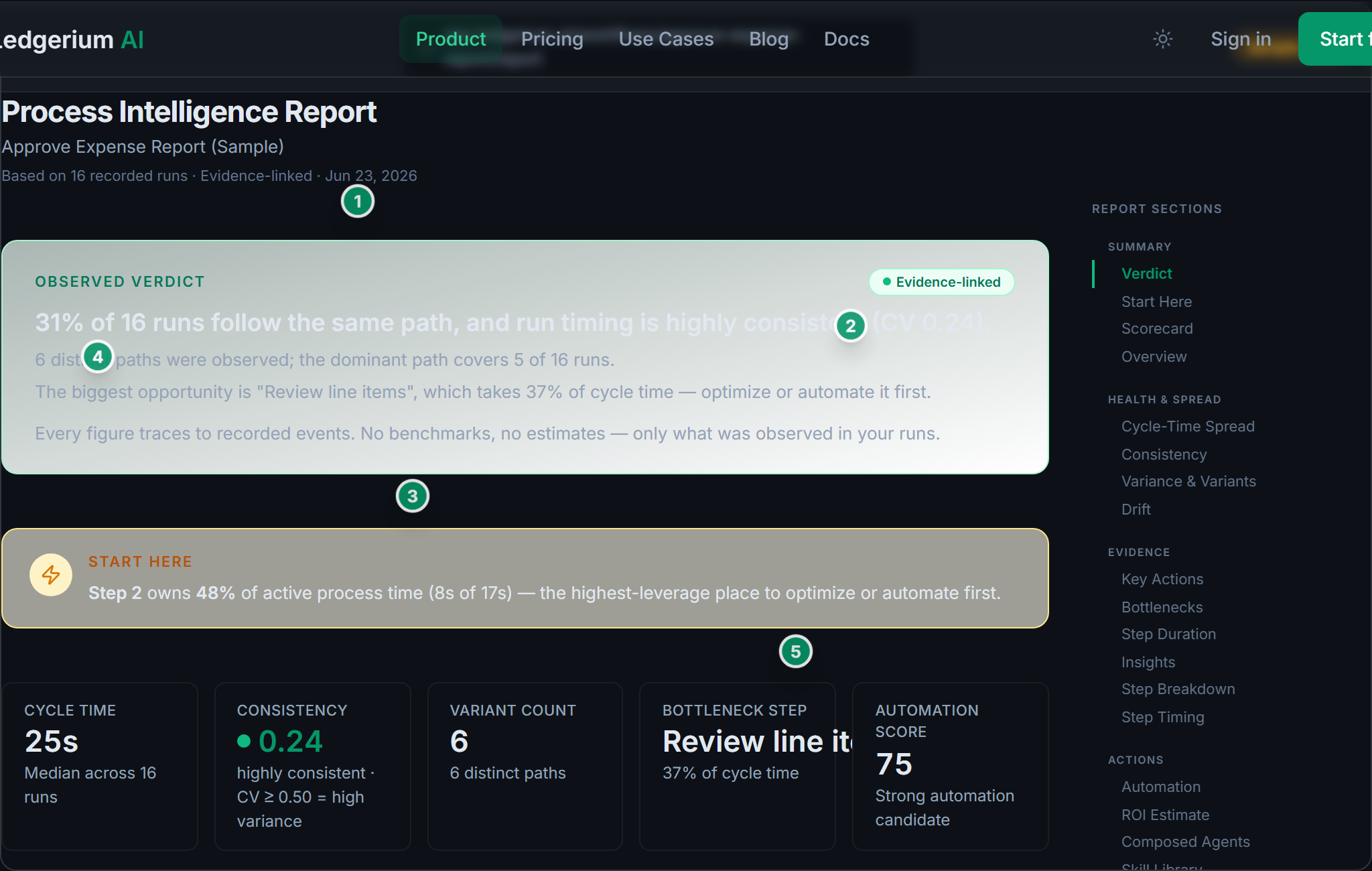
Metrics Ledgerium can reveal
- Time to first touch: Lead capture to first qualification activity, split into wait and work time.
- Routing accuracy: Share of leads assigned to the correct owner the first time.
- Rep variance: How much the qualification path varies between reps.
Common mistakes
- Leaving the qualification criteria undocumented, so each rep applies a different bar
- Documenting the capture but skipping the routing rules that decide ownership
- Not capturing how long leads wait between capture and first qualification
AI and automation opportunities
- Auto-enrich the lead record from connected data sources for review
- Score the lead against the fit and intent criteria before a rep opens it
- Suggest the correct owner from territory and segment routing rules
How Ledgerium captures this
Ledgerium captures a Salesforce lead qualification workflow by recording a rep from lead capture through enrichment lookups and the criteria check to routing, so the report shows how long a lead waits before a rep qualifies it and where routing varies.
1. Install the extension
Add the Ledgerium recorder to Chrome. No screenshots and no keystrokes are ever captured.
2. Record the real workflow
Perform the process once. Ledgerium captures the structured steps, timing, and system context.
3. Get the output
Receive an SOP, a process map, and a workflow intelligence report generated from the real work.
Worth knowing
Qualification done on a discovery call or over the phone is not captured. Ledgerium records the browser-based steps in the CRM and enrichment tools; the call rationale needs a note.
Frequently asked questions
- Typically: capture the lead, enrich the record, qualify it against criteria, route and assign it, then log the outcome and set the next step. The criteria and routing rules are the parts most guides leave undocumented.
- Record one real qualification as a rep works a lead, then generate the SOP and process map from it. This captures the criteria checks and routing rules that usually live only in a rep’s head.
- Most leakage happens between capture and first touch, where a lead sits unworked, and at routing, where it goes to the wrong owner. Per-step timing makes both visible.
- Yes. A single recording captures the steps across each browser-based tool the rep uses, including enrichment tools and email, so the SOP reflects the full qualification flow.
- Common candidates are auto-enriching the record, scoring fit and intent before a rep opens the lead, and suggesting the right owner. Ledgerium scores these from the recorded process.
Related to this
Not ready to sign up? Try the live demo — no login required.
Capture this workflow once
Record the real process and turn it into an SOP, a process map, and an AI opportunity report, generated from how the work actually happens.
Free plan includes 5 documented workflows per month. No screenshots ever captured.
Or Install the extension first.